Bot · Broadcaster Tower

Your community's streamer hub.

Auto-detect every live stream, run weekly leaderboards, accept clip submissions, and publish a polished streamer directory — all wired into Discord and a sleek web portal.

Join Discord
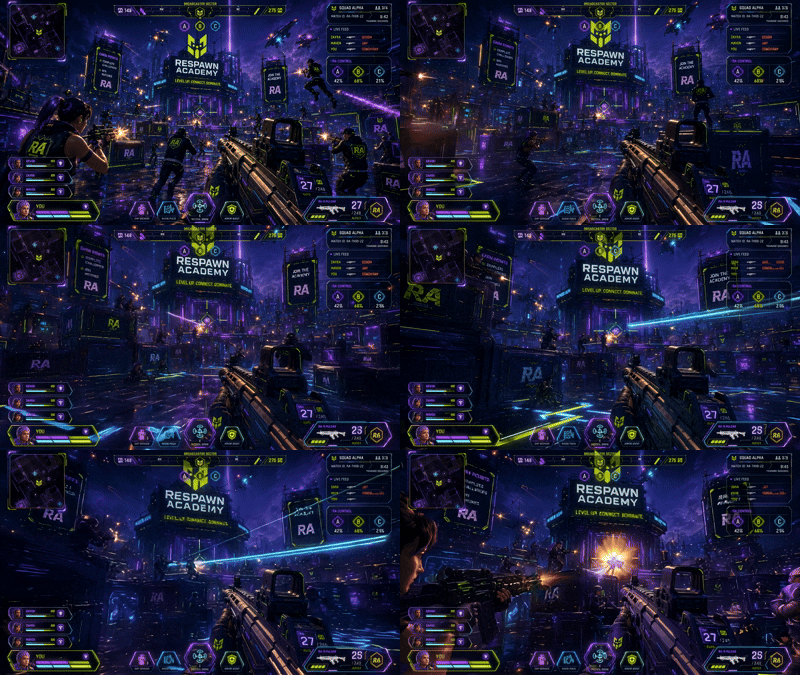
Broadcaster Tower in action
Platforms
Twitch · YT · TikTok · Kick
Live Detection
~60s polling
Leaderboard
Weekly Reset
Clip Workflow
Submit → Review
Web Portal
Discord OAuth
Branding
Custom Embeds
Live alerts
Respawn Signal

Live alerts that actually look good.

When a streamer in your community goes live on Twitch, YouTube, TikTok, or Kick, Broadcaster Tower drops a custom-branded alert into your live feed with thumbnail, title, game, and a one-click join button.

  • Per-platform detection with configurable polling
  • Custom embed colors, footer, and CTA
  • Auto-archive when the stream ends
The Grid leaderboard
Weekly Leaderboards

Reward the streamers who show up.

Earn points for going live and submitting clips. The Grid auto-posts the weekly top streamers and resets every Monday — making competition friendly and constant.

  • Configurable point values per action
  • Auto-posted leaderboard with embed cards
  • All-time and weekly views
Streamer Directory
Streamer Directory

A searchable home for every streamer.

Forum-style directory synced into Discord with platforms, games, schedules, and tags. Members can browse, follow, and discover new creators inside the community.

  • Tag and platform filters
  • Schedule and time-zone-aware listings
  • One-click profile management
Clip submissions
Clip Submissions

Highlight your best moments.

Streamers run /submit-clip, paste a URL, and earn points. Mods review, approve, or showcase clips in a dedicated channel — turning highlights into community content.

  • Auto-fetch metadata and thumbnails
  • Mod approval queue with one-click actions
  • Featured clips channel
Web portal
Web Portal

A real dashboard for streamers and staff.

Configure roles, channels, alerts, and branding from a polished web panel — or use slash commands inside Discord. Streamers manage their own profiles without ever bothering staff.

  • Discord OAuth login — no extra accounts
  • Per-server isolated settings and data
  • Profile, schedule, and tag management
Slash commands

Run It from Discord.

🎥 Streamer Commands
/go-live
Announce a live session and post a branded alert to the live feed — supports Twitch, YouTube, TikTok, and Kick.
/end-live
End your active live session and archive the live alert.
/apply streamer
Apply for streamer access to be featured in the directory.
/broadcast-panel
Open your personal streamer control panel — go live, manage clips, update your profile all in one place.
/manage-profile
Edit your platforms, schedule, tags, and intro shown on your directory card.
/manage-signal
Customize your Respawn Signal live alert — set a custom message and banner image.
/submit-clip
Submit a Twitch clip, YouTube video, TikTok, or Kick clip to the media channel.
/refresh-profile
Force a re-sync of your directory embed with the latest profile data.
/find-streamers
Search for streamers in this server by game, platform, or live status.
/plan
Check this server's current plan, feature limits, and active streamer count.
/subscribe
View available tiers and upgrade this server to Pro.
🎁 Giveaway Commands PRO
/giveaway panel
Open the giveaway admin panel — create giveaways, configure multipliers, manage the board channel.
/giveaway list
View all currently active giveaways and your invite entry count for each.
🛡️ Staff / Admin Commands
/admin-panel
Configure Broadcaster Tower for this server — roles, channels, live detection, welcome messages.
/clip-manager
Review, approve, or reject submitted clips before they're posted to the media channel.
/sync-directory
Manually push a full sync of all streamer profiles to the directory forum.
/welcome-config
Configure the streamer welcome message — channel, title, body, and banner image.
/application-cooldown
Check, set, or reset the streamer application cooldown for a specific user.
/test-signal
Fire a test Respawn Signal to the live feed to verify your alert setup looks right.