Bot · Matchmaking

Squad up in seconds.

Players run a single command, the bot spins up a private voice room, fills it with the squad, and tears it down when the lobby empties. No more hunting through channels, no more half-full lobbies — just clean, fast matchmaking.

View Commands
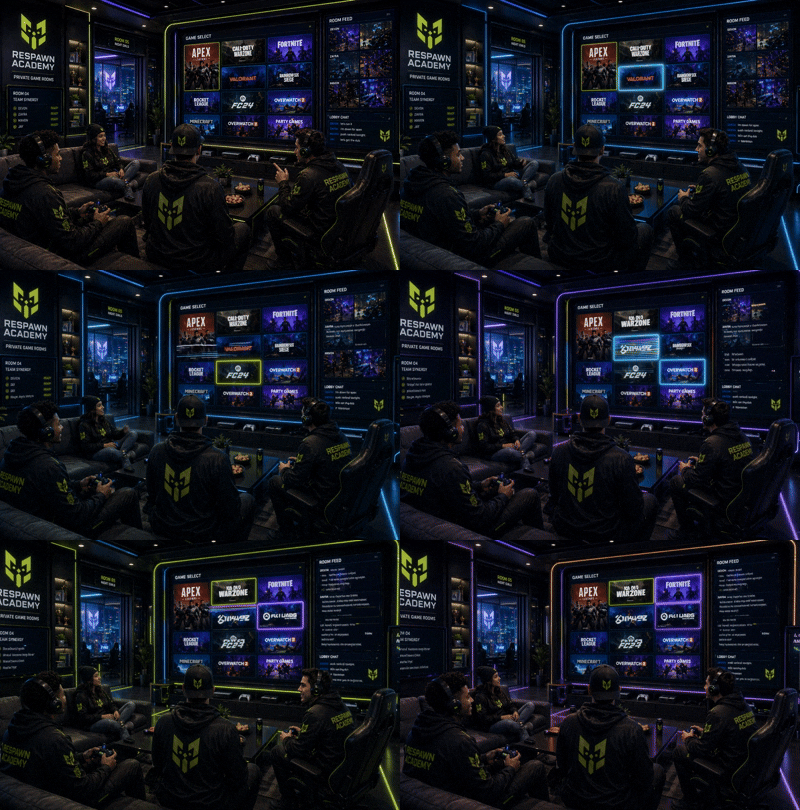
Matchmaking in action
Default Room
4 Players
Max Room
8 Players
Modes
Ranked · Casual
Platforms
XB · PS · PC · Switch · Mobile
Auto-Cleanup
On Empty
Admin Panel
Built-in
Game rooms
Pop-up Rooms

Private voice channels on demand.

When a player queues, the bot creates a fresh voice channel, names it 🎮 {game} | {owner}, sets the user limit, and assigns the squad. When everyone leaves, the room disappears automatically.

  • One channel per squad — no leftover empty rooms
  • Owner can lock, kick, or transfer ownership
  • Region selector for low-ping play
The Grid
Cross-Platform

Xbox, PlayStation, PC, Switch, Mobile.

Players pick the platform when they queue, so squads form around the same ecosystem. Admins can disable platforms per server to match your community.

  • Per-server allowed-platform list
  • Ranked / Casual mode tags on the room
  • Configurable game catalog
Mission HQ
Admin Panel

Mission HQ for staff.

A control panel lives inside Discord — staff can force-close rooms, change limits, blacklist abusive players, and override the queue without leaving the server.

  • Force-close stuck or abandoned rooms
  • Per-game default and max room sizes
  • Block players by User ID with reason logging
  • One-click unblock from the blocklist embed
Slash commands

Squad up with /lfg & /queue.

Two ways to find teammates — post an open LFG for the community, or jump straight into a private room.

📣 LFG System — Find Teammates
/lfg create
Post a public LFG in the game thread. Pick game → platform → mode → fill in your tag, mic, and squad size.
/lfg cancel
Remove your active LFG post and close the room if one is attached.
/lfg list
See all active LFG posts across the server — game, platform, mode, and status at a glance.
🎮 Room Commands — Squad Management
/queue
Skip the LFG post and go straight to a private room. Bot walks you through game, platform, mode, and size.
/invite @user
Pull a friend into your room — even moves them over if they're already in voice.
/lock
Lock the room to your current squad. Run again to unlock.
/kick @user
Owner only. Removes a player and moves them to the main lobby.
/transfer @user
Hand room ownership to someone else when you need to dip.
/close
Manually shut down the room. Members get moved to the main lobby.
/games
Browse the game catalog and see which titles have active LFGs right now.
🛡️ Staff Commands — Admin Panel
/mm-admin
Open the full admin panel — configure forum, room category, manager role, limits, and colors.
/matchmaking sync
Sync game forum threads to the bot's catalog so players can pick them in the LFG flow.
🚫 Block Player
Admin panel button. Blocks a player from using matchmaking by User ID. Optional reason logged.
📋 Blocklist
View all blocked players with reason, who blocked them, and one-click unblock buttons.
/matchmaking apply-setup
Configure the streamer application panel — set the apply channel, set the submissions review channel, then post the persistent apply embed. Run once, works forever.
📡 Streamer Apply Panel
📝 Apply as Streamer button
Persistent button on the apply panel embed. Opens a 4-field form — platform, channel URL, content type, and a short about. Submissions route straight to the staff review channel.
✅ Approve / ❌ Deny
Staff-only review buttons on each application embed. One click approves or denies — the applicant gets an automatic DM with the result. The embed updates to show the decision.
From idle to in-game

How a Squad Forms.

Post an LFG

Run /lfg create or tap 🟢 Find Teammates on the panel. Pick your game, platform, and mode — takes about 10 seconds.

Community Sees It

Your post goes live in the game thread. A notify role ping goes out so the right players see it instantly.

Create the Room

When someone's ready to play, hit 🎮 Create Game Room on the LFG post. A private voice channel spawns immediately.

Squad Up & Play

Members join with one click. Lock the room, adjust the limit, kick if needed — you're in control.

Auto-Cleanup

Room empties or owner leaves? Bot deletes the channel and updates the LFG post. Zero clutter.

Stop hunting for teammates.
Add Respawn Matchmaking and let your community squad up in one click.
Back to Hub